Coordinate Teams, Events & Sponsor Deliverables
Line up who is running each event, which sponsors belong there, and the deliverables that cannot live only in email.
What good looks like
After commitment, the work shifts to fulfillment. You know which events a sponsor bought into, which teammates own each date, and what you still owe them: logos, reps, booths, parking, workshops, dietary needs. You can answer “which sponsors are on Career Night?” without scrolling Slack.
Chapters that share events across organizations can see who is collaborating without losing ownership of the date.
Where it usually breaks
- Ops volume explodes: missing logos, last-minute rep changes, unclear booth maps.
- Multi-org events have unclear ownership. Notes sit in personal inboxes.
- Deliverables (logo files, talking points, day-of checklists) never make it onto the event itself.
- The person who “knew” the plan graduates, and the list walks out with them.
How Anchor helps
In Anchor, Events belong in your campaign workspace. Attach sponsors to events, keep notes on people or companies so day-of context is not tribal knowledge, and collaborate across organizations when another chapter needs to be on the same date.
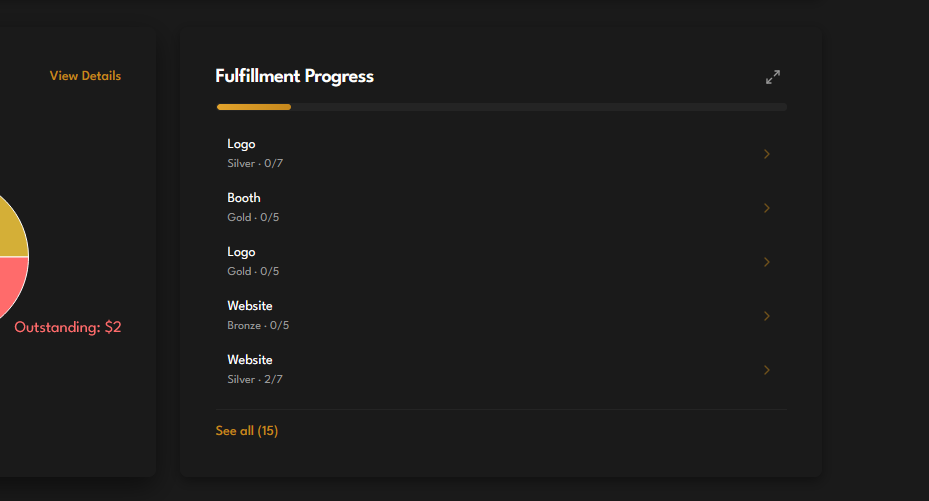
Fulfillment Progress on the Dashboard tracks logos, booths, website placement, and the rest of the package by tier. Treat notes as the deliverable list you will reuse in email templates: logos received, representative names, booth needs, parking, and what still has to ship.
Try it
- Open Events and add or edit this season’s dates.
- Link the sponsors who bought into each event.
- Invite a collaborating organization when another team shares the date.
- Use notes for the deliverable checklist you’ll reuse in email templates.
- Open the Dashboard and check Fulfillment Progress for logos and booths still outstanding.